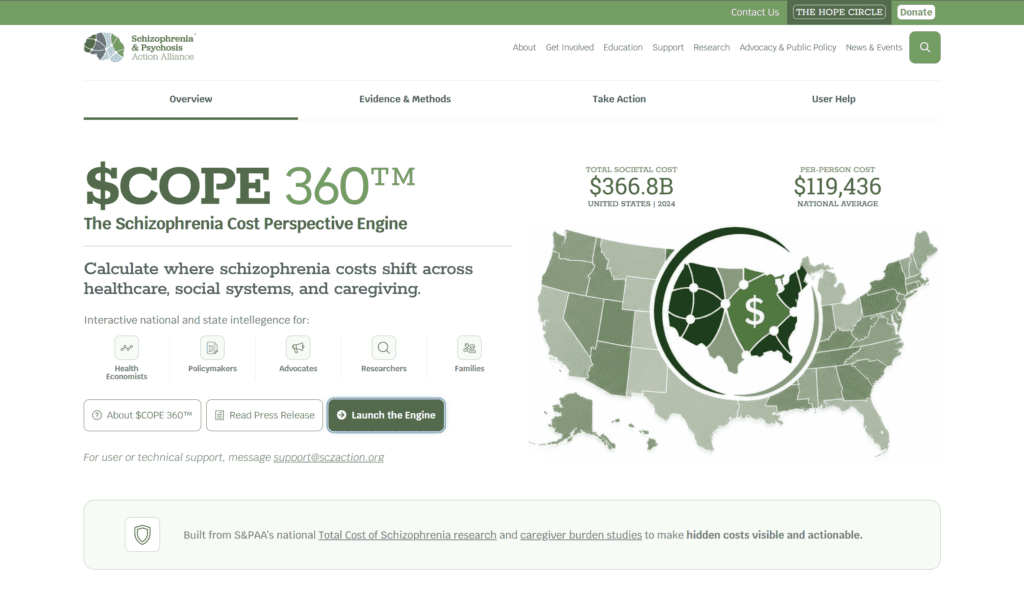
This guide explains how to use the $COPE 360™ Tool and navigate the data it presents.
Introduction
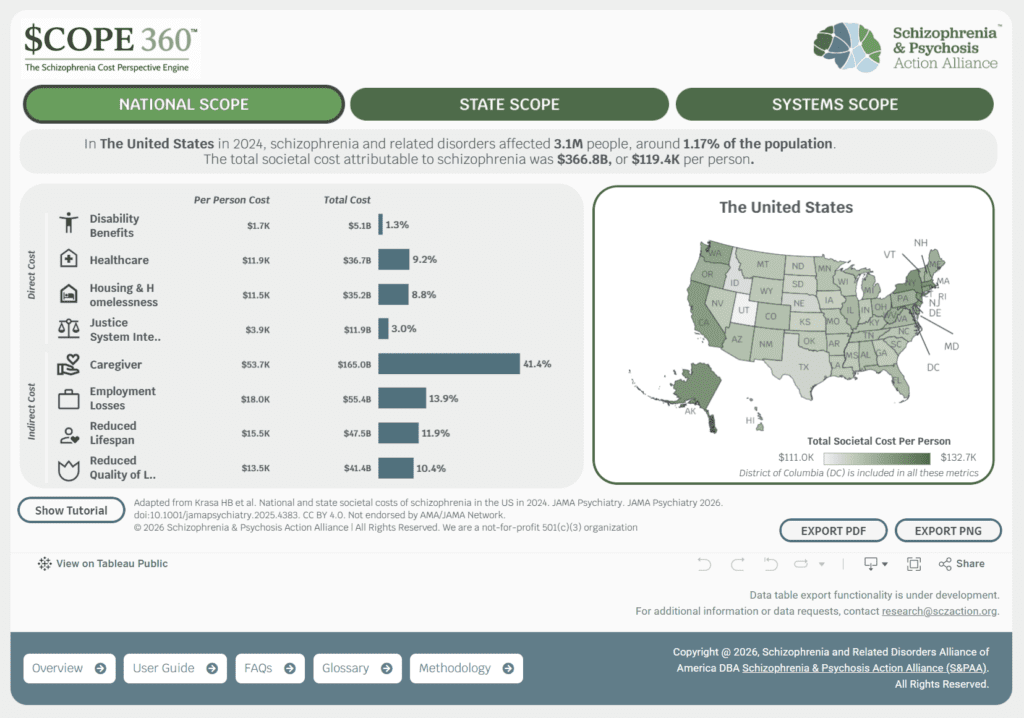
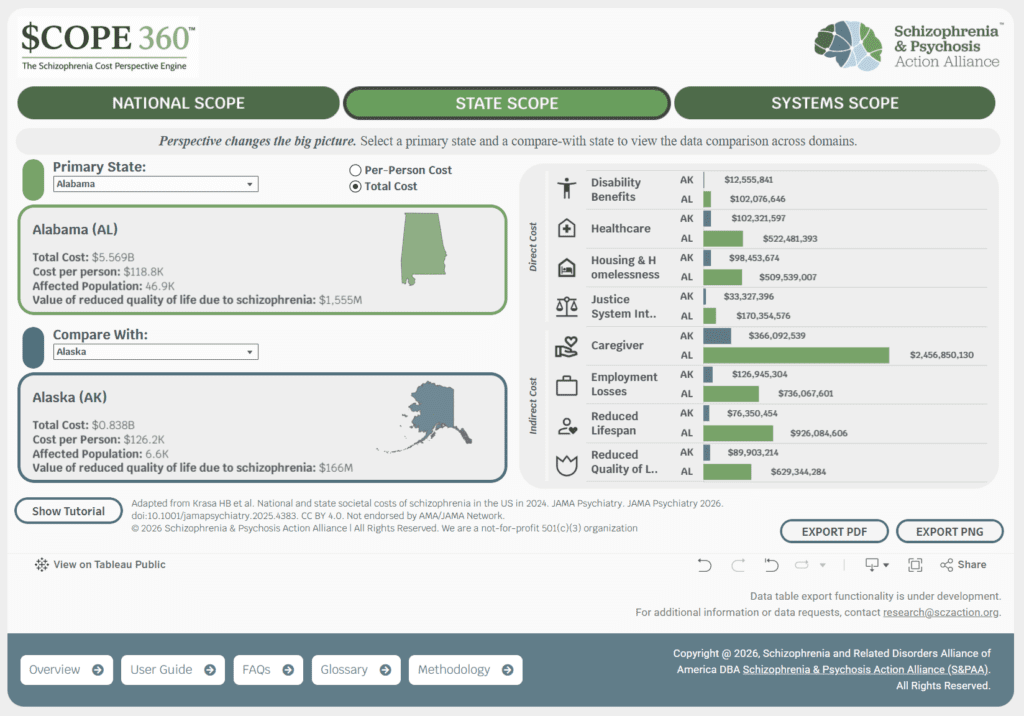
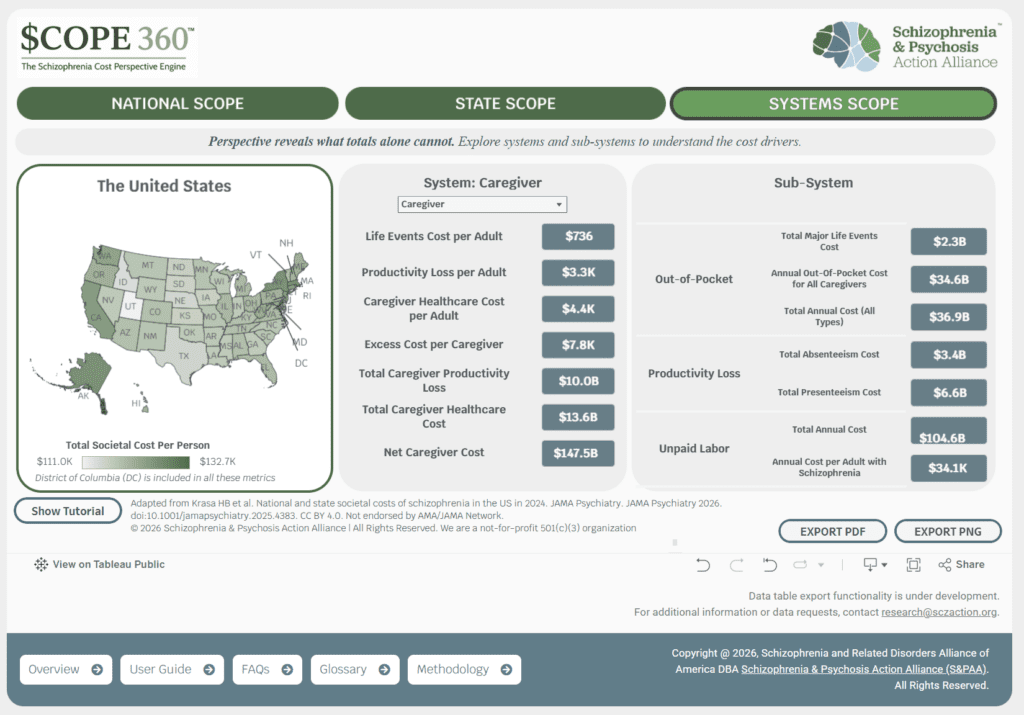
$COPE 360 helps users explore the total cost of schizophrenia through three views of the data: National Scope, State Scope, and System Scope. National Scope shows direct and indirect costs at the national level, State Scope compares state data by selecting a primary state and a compare-with state, and System Scope lets users view cost data by selecting a state, a system, and an optional subsystem. Use this quick guide to help users move through each scope, review values, and export visuals.
Step 1: Explore National Scope
Open: National Scope
Hover over a domain to view national direct and indirect costs
Select a state on the map to see that state’s data
Watch the graph on the left update based on the state you select
Try this: Open National Scope, hover over Healthcare, then select Texas on the map to see the data and update the graph on the left.
Example domains: Healthcare Caregiver Housing & homelessness Justice system interactions Employment losses
Step 2: Explore State Scope
Open: State Scope
Select a primary state and a compare-with state
Review the state data comparison across domains
Watch the graph on the right update with the comparison
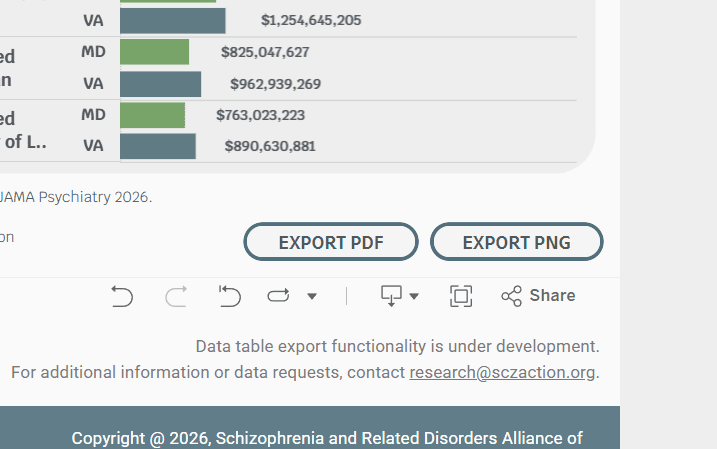
Try this: Open State Scope, select Maryland as the primary state and Virginia as the compare-with state, then review the comparison data and the graph on the right.
Example state comparisons: Maryland vs Virginia California vs Texas
Step 3: Explore System Scope
Open: System Scope
Select a state on the far left
Select a system
Select a subsystem
Try this: Open System Scope, select California on the far left, select Healthcare, then select Inpatient as the subsystem.
Step 4: Export Data Visualizations
Use: Export data in charts, graphs, and maps
Common uses:
Legislative briefings
Advocacy materials
Reports
Planning discussions
Try this: Open State Scope, compare Maryland and Virginia, then select Export and choose PNG to save the visualization.
Use this checklist to help first-time users practice the platform’s core actions:
□ View National Scope □ Explore State Scope □ Explore System Scope □ Export one visualization to PDF or PNG
Once users complete these tasks, they will have used the core functions of $COPE 360™.
You’re about to leave S&PAA and
visit SPAN, the Schizophrenia
Policy Action Network
SPAN is focused on policy advocacy and action opportunities.
S&PAA provides broader resources across research, education,
care and advocacy for people affected by schizophrenia and
psychosis disorders.